Advanced Settings
Advanced settings live in the Google Client app, on their own screen, grouped into four tabs. Every one of them is optional.
A freshly installed package behaves exactly as documented without any of them being set, and leaving a field blank always means "use the default" — never "unset" or "broken". The same is true after an upgrade: a setting added in a new release starts out blank and keeps the behavior you already had until you choose otherwise.
Opening Them
- Open the Google Client app from the App Launcher
- Go to the Home page
- Select Advanced in the switch at the top right, next to Setup
If you have unsaved changes on the Setup screen, Google Client asks whether to save or discard them before opening Advanced, so the two never mix. While an Advanced tab is open, the side panel of the Home page shows a short guide to what that tab contains.
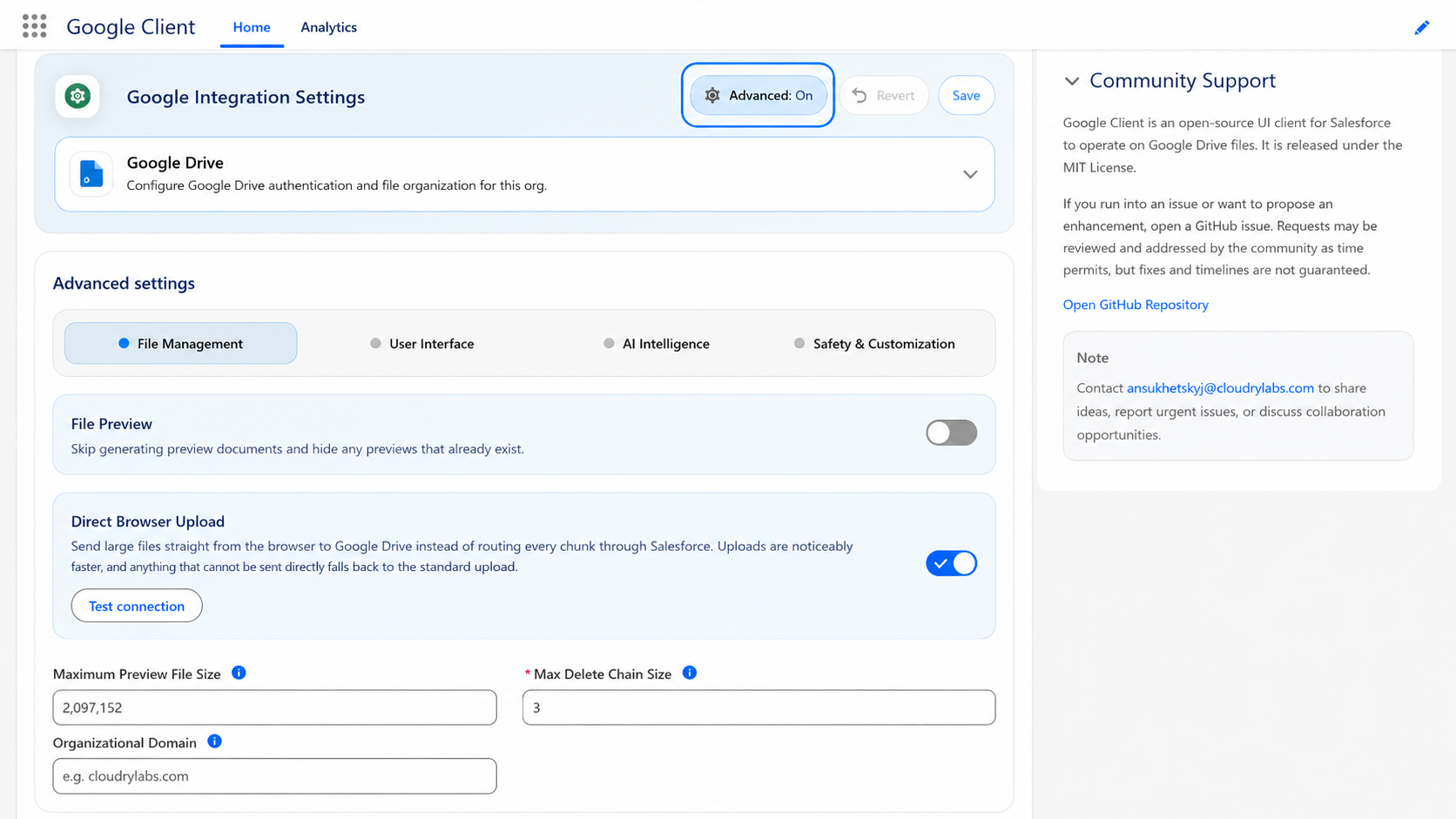
The Four Tabs
-
Preview, upload transport, file size, deletion behavior, and the domain that public links are restricted to.
-
Which columns appear in File Explorer, in what order, including your own fields.
-
Turn AI Analytics on, control the prompts and answer length used for summaries and questions, and let Google Client label new files automatically.
-
How strictly AI questions and answers are inspected, and how to replace that inspection with your own.
Looking for Something Else?
A few settings people expect to find here live elsewhere, because they belong to a setup step rather than to fine-tuning:
- Folder Structure — organizing uploads in Drive by user, by record, or both
- Multiple Upload Folders — adding fallback destinations for when a drive fills up
- Configure Google Workspace — the service account, the certificate, the upload folder, and the custom authorizer class
- Configure AI & Intelligence — connecting Gemini or the Agent Platform