File Q&A
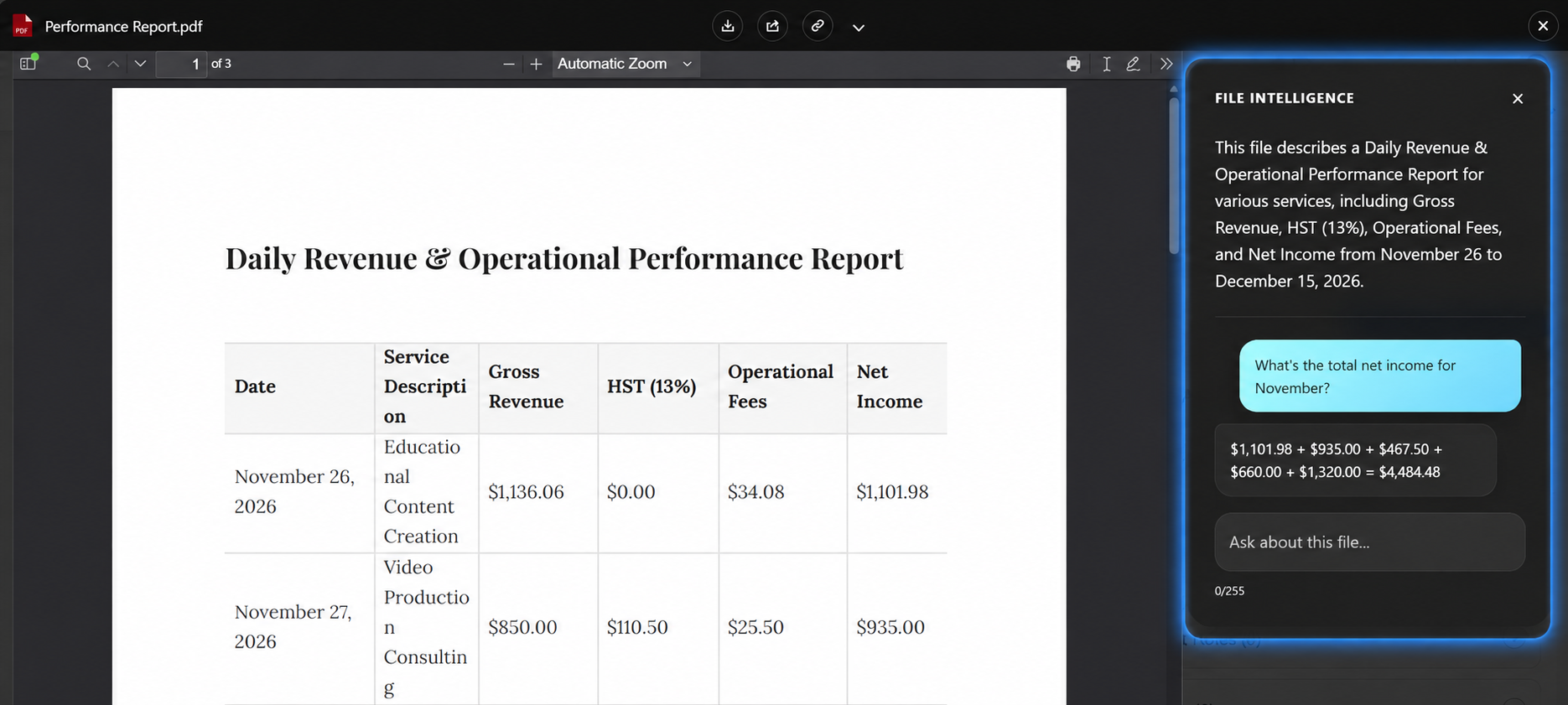
File Q&A lets a user ask a question about the document they are looking at and get the answer in Salesforce, without reading the whole file.
It is most useful for the documents people open only to find one thing: contracts, statements of work, reports, requirements, proposals. What is the notice period? Who signed it? When does it renew?
How Users Ask
- Open a file in the preview window
- Open the AI sidebar
- Type a question and submit it
The answer is based on the content of the file that is open. Users do not choose a model, a provider, or a prompt — they ask in plain language.
When It Is Available
Q&A appears when all of the following are true:
- File Intelligence is enabled
- A provider is configured and validates successfully
- The file is in a format Google Client can convert for analysis
- The user has access to the file
When any of these is not met, the Q&A box is not shown. Google Client hides the control rather than offering something that will fail.
There is one exception. A file that was analyzed while AI Analytics was on keeps its summary and labels, so its sidebar can still be opened after an administrator turns AI Analytics off. The sidebar stays closed until the user opens it, and the question box is disabled with a note that questions are turned off; a question sent anyway is refused.
What It Will and Will Not Answer
Answers come from the open document, and only from it. A question the document cannot answer returns a plain "I could not find that in this file" rather than a guess.
This is deliberate, and it is worth telling users: the assistant is not a search engine and not a general chatbot. It reads one file and answers about that file.
Questions that try to pull the model away from the document — asking it to ignore its instructions, reveal its configuration, or answer general knowledge — are refused before they reach the provider. See AI Prompt Security.
Controlling the Answers
Two administrator settings shape what comes back:
- Question Prompt — how the provider is told to answer. The shipped prompt asks for accurate, concise, plain-text answers drawn only from the document, with a sensible attempt to match imperfect wording to the right table, column, or section before giving up.
- Question Max Output Tokens — how long an answer may be. Raising it allows fuller answers at a higher cost per question; lowering it keeps answers terse.
📘 See AI Intelligence settings to change either.
Cost and Expectations
Every question is a call to your AI provider and is billed by them. Answer length is the setting that moves that number most.
Answers are not stored. A question asked twice is a call made twice, and a user closing the preview loses the conversation.