Advanced: AI Intelligence
Turn AI Analytics on, control how the AI provider is asked to respond, and let Google Client label files automatically.
Open the Google Client app → Advanced → AI Intelligence. The tab has two sections: AI Analytics for summaries and questions, and AI Labeling for automatic labels.
Note
These settings only take effect once a provider is connected and validated. Start with Configure AI & Intelligence if you have not done that yet.
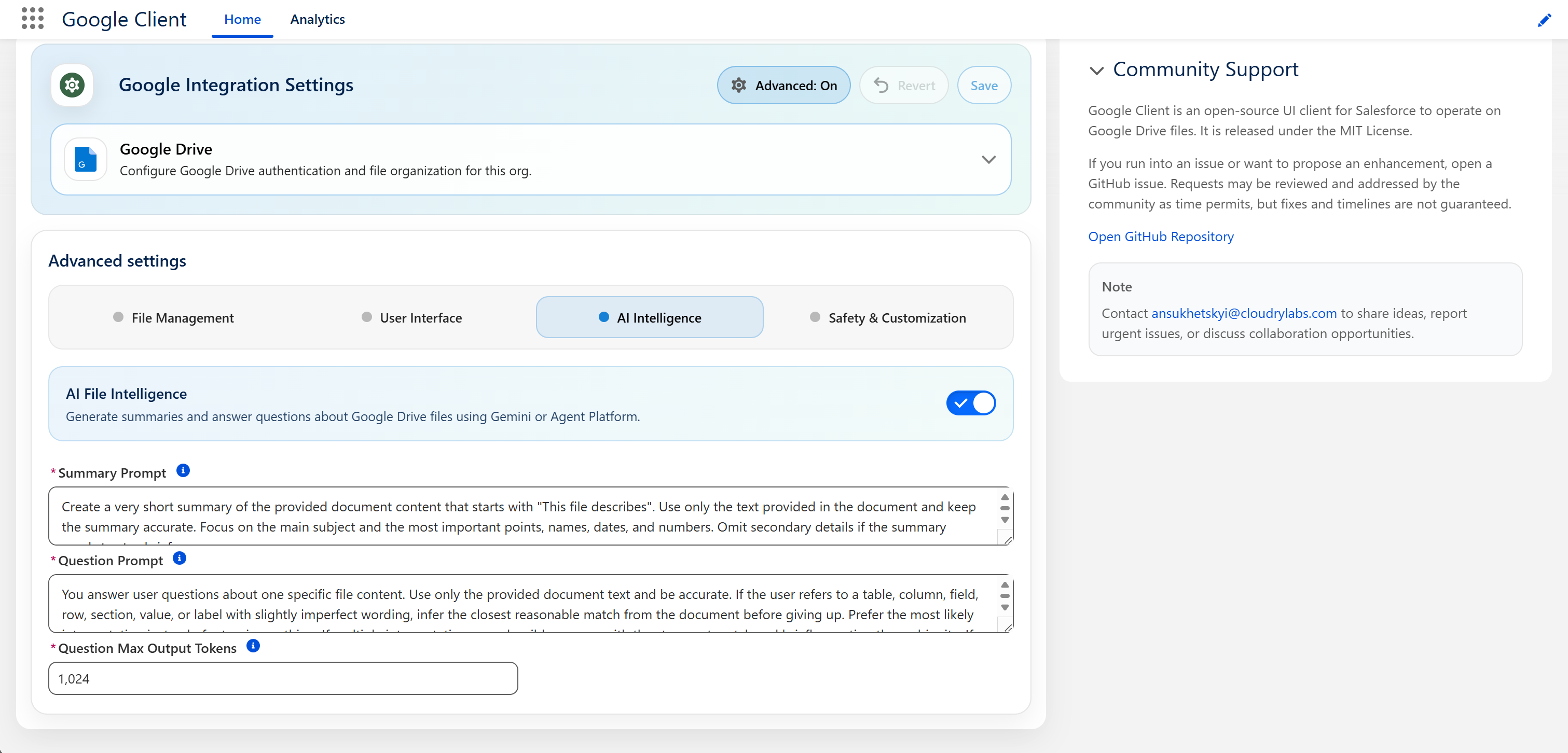
AI Analytics
The master switch for summaries, file Q&A, and labeling.
It can only be turned on once Gemini or Agent Platform is connected. When you flip the switch, Google Client checks the provider right away and tells you if it is not ready, so a saved configuration never points at a provider that does not answer. Until a provider is saved, the switch stays off and a notice in the corner of the page explains where to set one up.
When it is off, Google Drive file operations continue to work normally and the AI controls are simply not shown. Nothing is sent to any AI provider. Turning it back on makes the feature available again. Existing summaries and labels are not lost while it is off.
The settings below are disabled until this is on, and required once it is.
Summary Prompt
How the provider is asked to describe a file.
The shipped prompt asks for a very short summary starting with "This file describes", built only from the document text, focused on the main subject and the most important names, dates, and numbers.
Replace it when your teams need something else. A sales org might want commercial terms surfaced first; a support org might want the product and the reported issue. Be specific about the kind of business answer you expect, and resist adding ceremony. Longer prompts do not produce better summaries.
📘 See Document Summaries
Question Prompt
How the provider is asked to answer a user's question about a file.
The shipped prompt asks for accurate, concise, plain-text answers drawn only from the document, and tells the model to make a sensible attempt at matching imperfect wording to the right table, column, or section before giving up. It also fixes the wording used when an answer genuinely is not in the file.
Change it if your users need a different tone or a different fallback, but keep the instruction to answer only from the document. Removing that is what turns a document assistant into a chatbot that guesses.
📘 See File Q&A
Question Max Output Tokens
How long an answer may be.
This is the setting that most directly affects what your AI provider bills you, since you pay per answer and answers are the longer half of the exchange.
Raising it allows fuller answers to complex questions. Lowering it keeps answers terse and costs down, at the risk of a useful answer being cut short. If users report answers that stop mid-sentence, this is the setting to raise.
AI Labeling
Assigns one of your Google Drive labels to each new file based on what it contains. Off by default, and available only while AI Analytics is on.
📘 See File Labeling for how it behaves, where labels appear, and how to write good descriptions.
Labeling Prompt
How the provider is asked to choose between your labels.
The shipped prompt tells the model to compare the document against every label description, to pick a label only when the document clearly matches it, and to answer None when nothing fits, several fit equally, or it is unsure. Your label descriptions are added to it automatically.
Most organizations never need to change it. Edit it if you want the model to weigh certain evidence more heavily, for example to favor the document title over its body, but keep the instruction to answer None when unsure. That instruction is what keeps uncertain files unlabeled.
Minimum Confidence (%)
How sure the AI must be before a label is applied, from 0 to 100.
The AI reports a confidence with every answer, and the label is applied only when that number reaches this setting. The default is 80. Raise it if labels are being applied to files where they do not belong; lower it if too many files are left unlabeled.
Thinking Budget (tokens)
How much room the AI gets to reason before choosing a label.
0, the default, turns reasoning off and is the fastest and cheapest option. A value such as 1024 lets the model think through ambiguous documents before answering, at the cost of a slower and more expensive call per file. Only models that support thinking use this value.
Labels
The list of labels the AI may choose from. Up to 20 can be defined, and each needs:
| Field | What to enter |
|---|---|
| Name | How the label should be called in Salesforce, for example Invoice |
| Google Drive Label ID | The ID of the published label, shown in the Google Admin console |
| When to apply this label | A plain-language description of the documents the label is for |
A label is saved only when its name, ID, and description are filled in. Duplicate names are ignored.
Labels are applied without values. Filling in label fields such as a description, a date, or a choice from a list is planned for a future release.
Note
Label IDs are not checked against Google Drive when you save. If an ID is wrong, Google Drive refuses the label, the file stays unlabeled, and the refusal is recorded in the logs.
Safety
Prompt inspection is configured on its own tab, because it applies to every prompt regardless of what you write above.
📘 See Safety & Customization