Open in Google Drive
File owners can open a file directly in Google Drive, without leaving the Salesforce process to look it up themselves.
This is useful when you want to:
- Use a Google Drive viewer that handles a format better than the in-app preview
- Print or download from Drive
- Keep your own copy of a document in your personal Drive
Note
This is off by default. An administrator turns it on under Advanced settings → File Management.
Who can use it
Only the owner of a file can open it in Google Drive, and only internal Salesforce users. Everyone else — including people the file has been shared with, and Experience Cloud users — will not see the option at all.
Files owned by a queue or a group don't offer the option, because there is no single person to give access to.
How it works
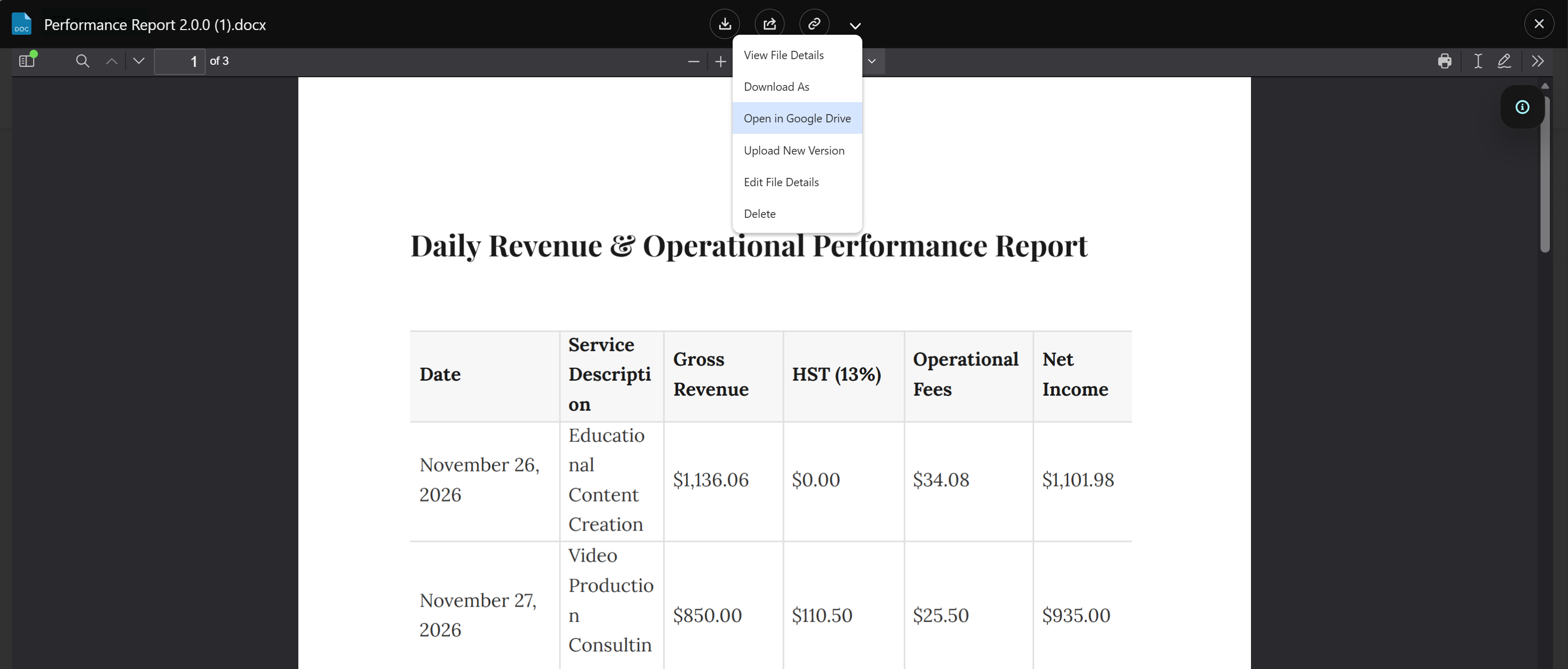
- Open a file in the preview window, or on its File Details page
- Choose Open in Google Drive from the menu
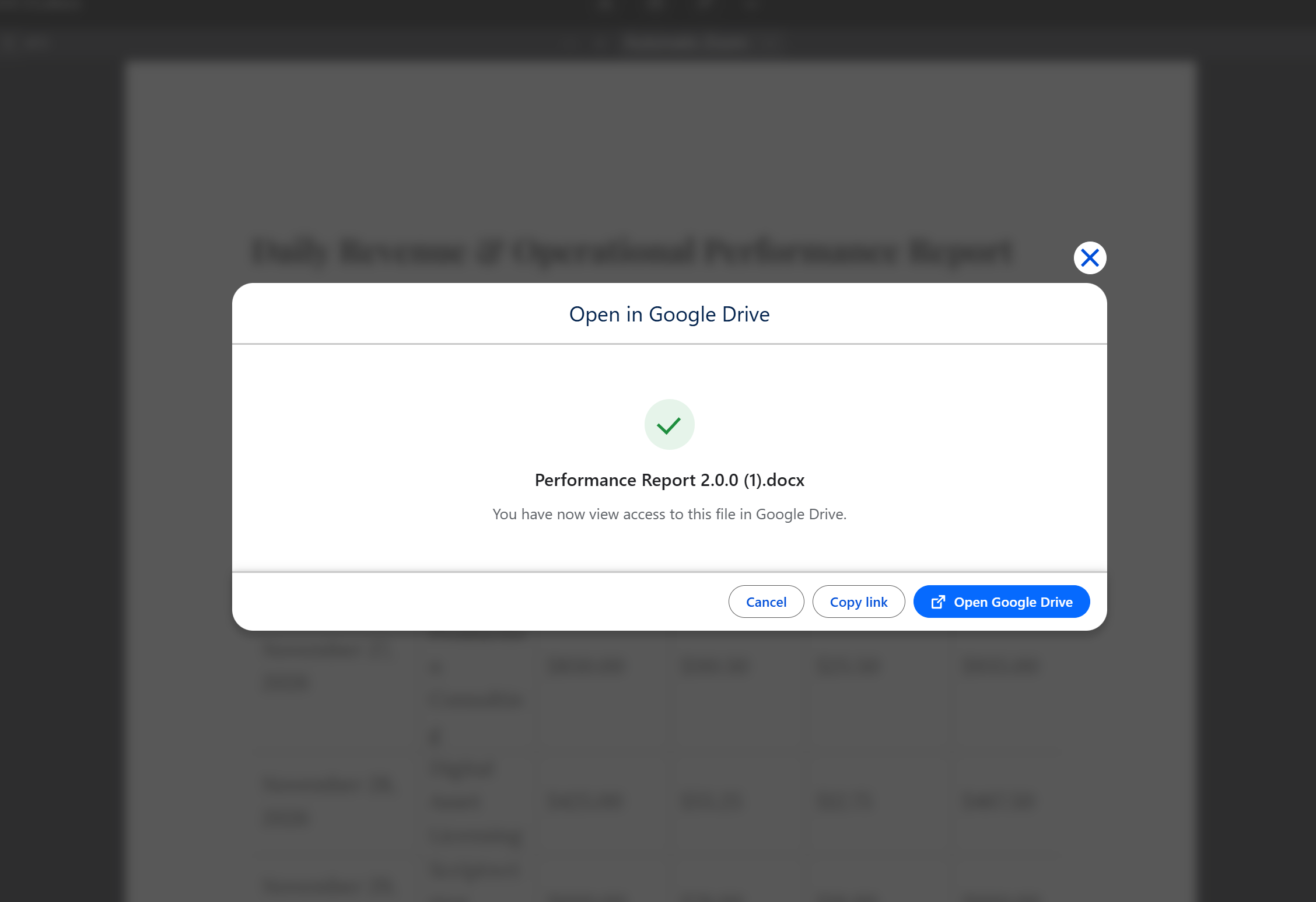
- A window confirms your access is ready
- Click Open Google Drive, and the file opens in a new browser tab
The first time you open a file it takes a moment while access is arranged. After that it is faster.
What you can do in Google Drive
You get view access to that one file. Where your Google Drive supports timed access, it ends automatically after a week, and opening the file again extends it. Where it doesn't, access stays until it is removed in Google Drive.
| You can | You cannot |
|---|---|
| View the file | Change it |
| Print it | Delete it |
| Download it | Share it with anyone else |
| Save your own copy to your Drive | Open the folder it lives in, or see anything else in it |
Because the access is view-only, requesting a signature in Google Drive is not available — that needs edit access.
Things worth knowing
- Your Salesforce email must match your Google account. If it doesn't, opening the file fails with a message saying so. Ask your administrator to check.
- Access is per file. Opening one file tells you nothing about, and gives you nothing in, the folder around it.
- Changes made in Google Drive are not tracked in Salesforce. Since access is view-only there is nothing to reconcile, but this is also why editing in Drive is not offered.
- Every time someone opens a file this way it is recorded, so administrators can review it later. See Audit & Logging.
Turning it on
📘 See File Management settings