Create Folder in Google Drive
Type: Action, listed under the Google Client category in Flow Builder.
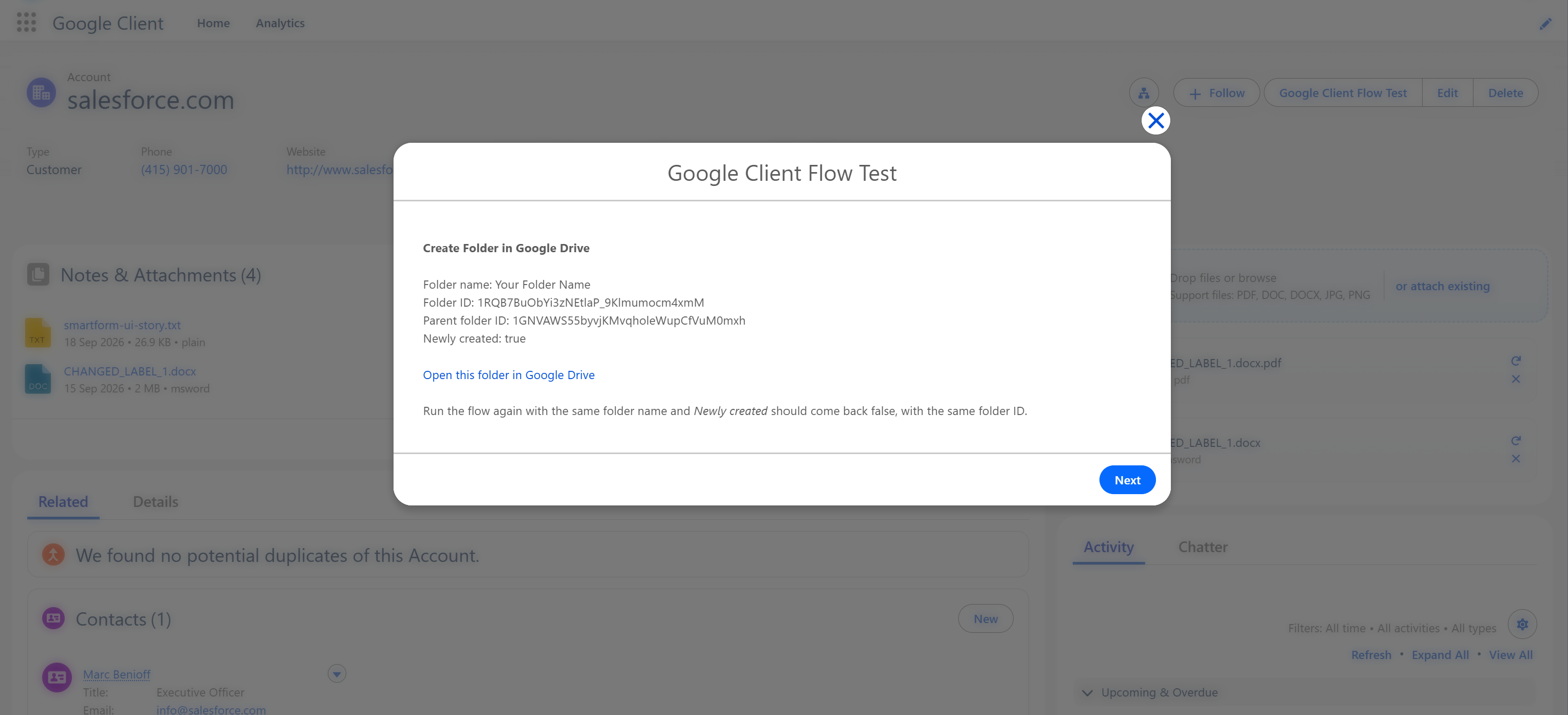
Creates a folder in Google Drive from a flow. The action looks for a folder with the same name in the same place first and returns that one instead of creating a duplicate, so a flow that runs twice does not leave two folders behind.
The same action also hands back the folder a record already owns, which is how a flow gets a link to a record's folder without creating anything new.
When To Use It
- Give every new record its own folder as soon as the record exists, and store the link on the record.
- Prepare a folder for a set of files before uploading them, so they all land in one place.
- Look up the folder a record already owns, to put its link in an email or on a page.
How To Add It To A Flow
- Open Flow Builder in Salesforce Setup.
- Create a flow, or open an existing one.
- Add an Action element.
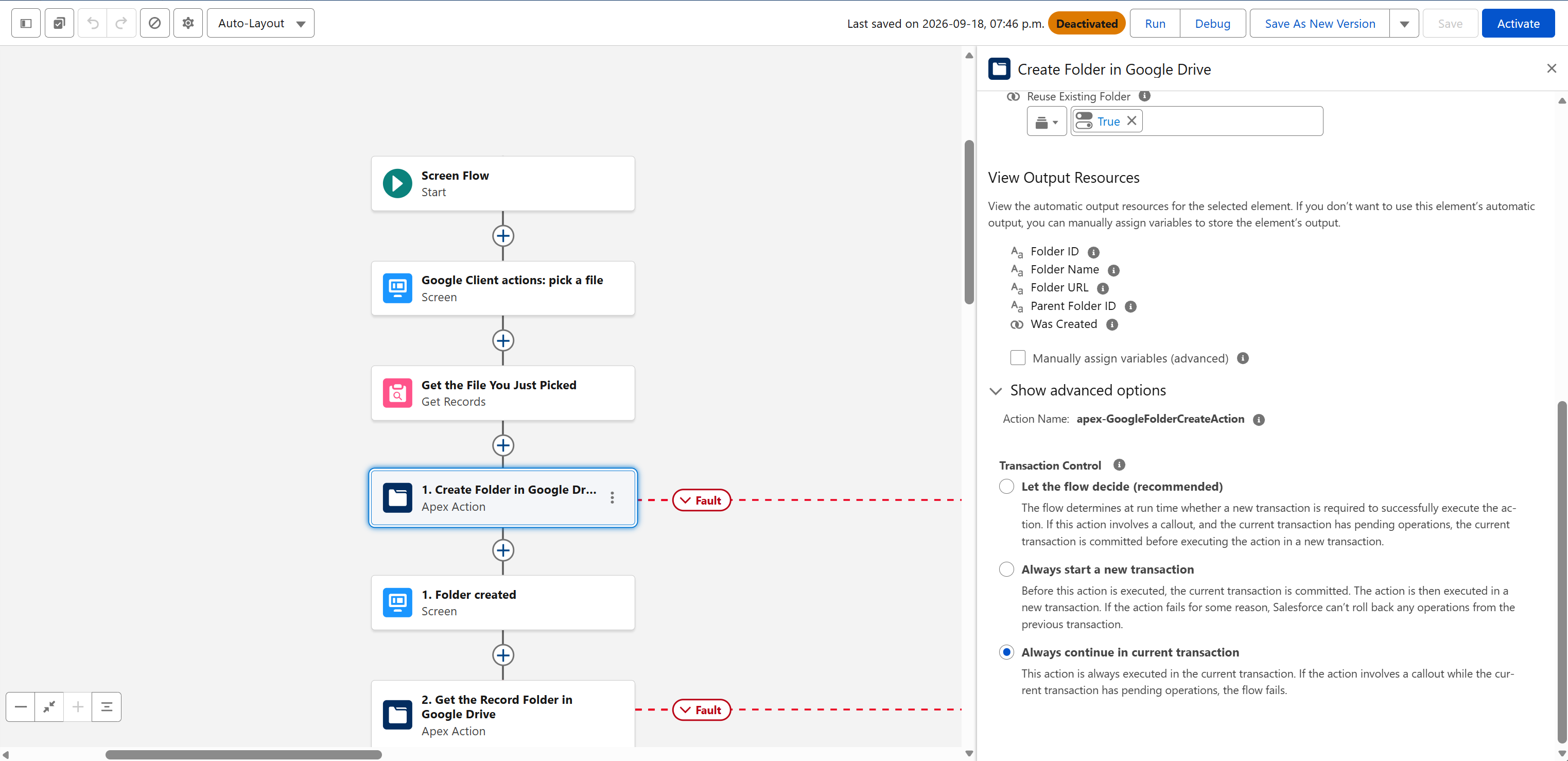
- Choose the Google Client category and select Create Folder in Google Drive.
- Enter a Folder Name, or leave it blank and supply a Record ID to get that record's own folder instead.
- Set Parent Folder ID if the folder has to go somewhere specific.
- Save and activate the flow.
Inputs
| Input | Required | Description |
|---|---|---|
| Folder Name | No | Name of the folder to create. Leave blank, together with a Record ID, to get the record's own Google Drive folder instead of creating a new one. |
| Parent Folder ID | No | Google Drive folder the new folder is created in. Leave blank to use the record's folder when a Record ID is given, or the default upload folder otherwise. |
| Record ID | No | The Salesforce record whose Google Drive folder is used as the parent. With Folder Name blank, that record folder is what the action returns. |
| Reuse Existing Folder | No | On by default. Turn off to always create a new folder, even when one with that name is already there. |
Outputs
| Output | Description |
|---|---|
| Folder ID | The Google Drive ID of the folder |
| Folder Name | The folder's name in Google Drive |
| Parent Folder ID | The folder it sits in |
| Folder URL | A link that opens the folder in Google Drive |
| Was Created | True when a new folder was created, false when an existing one was returned |
Where The Folder Goes
The action picks the parent in this order:
- Parent Folder ID, when you supply one.
- The Record ID's own folder, when the folder structure keeps a folder per record.
- The default upload folder configured for Google Client.
Returning A Record's Own Folder
Leave Folder Name blank and pass only a Record ID. The action returns that record's folder, creating it if nothing has needed it yet, and Was Created tells you which of the two happened.
This needs a folder structure that includes a Record folder. Without one there is no per-record folder to return, and the action says so instead of guessing.
Note
Needs Google Drive configured. In a record triggered flow, place the action on an asynchronous path, and connect a Fault path to catch {!$Flow.FaultMessage}.
📘 See Upload File to Google Drive to put files into the folder it gives back.